Automate and Manage Your Firm’s Entire Billing Cycle.
Proposals that convert. Fast
Easily create and send proposals that can be reviewed and signed from any device. Just choose a service from your service library, outline your terms, and send it to your client to sign digitally.
"Time to create proposals and get them signed decreased significantly and I also feel conversion rates improved”
Agreements that are dynamic. Like your clients' needs.

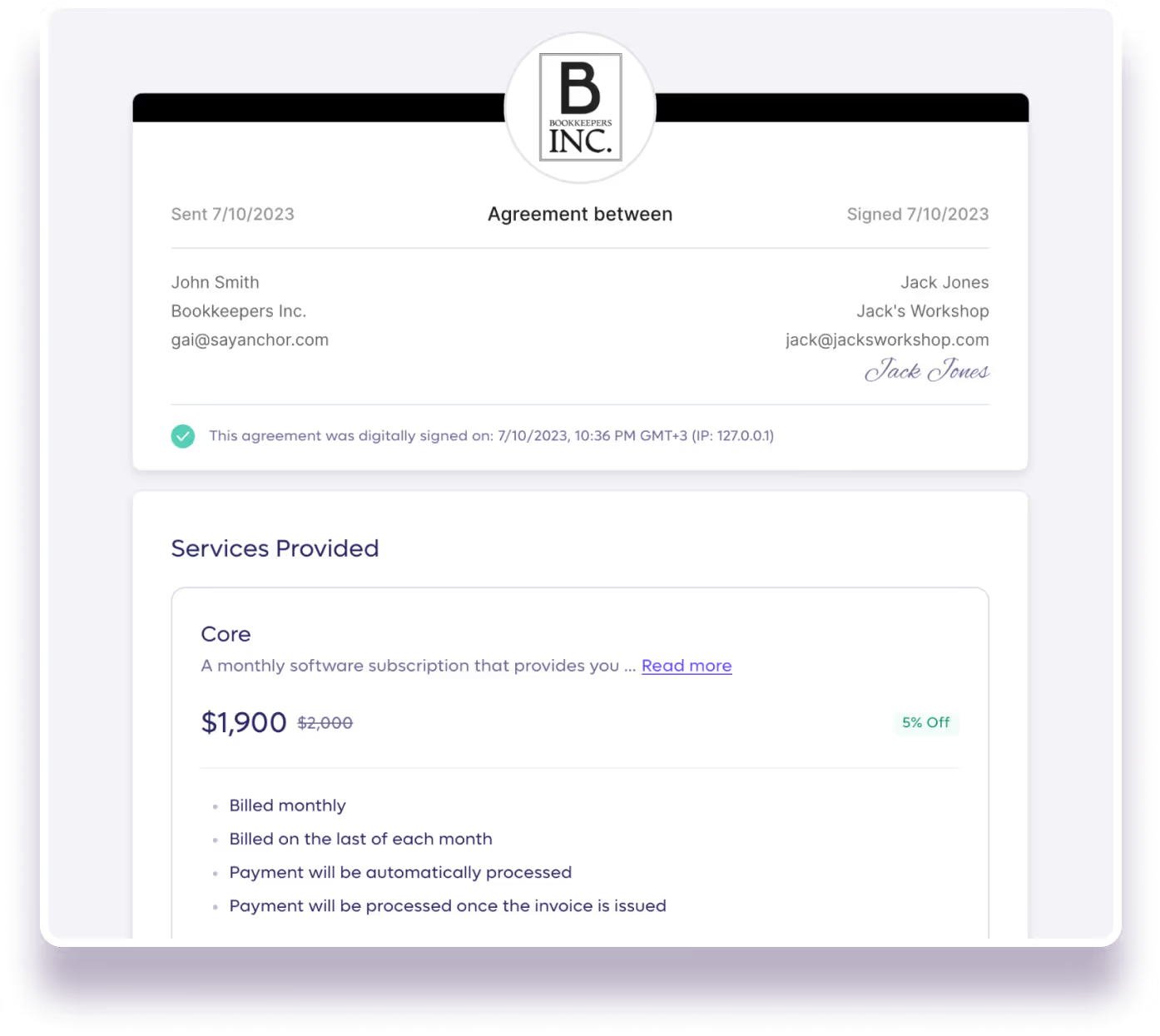
Streamline your billing with smart agreements that hold all information you need for efficient billing, including payment details, payment terms and billing permissions from your client.
Have the flexibility to adjust the scope of work, terms, and pricing as your business needs evolve, and make the change log accessible so you and your client can follow.
"Anchor makes it easier to collect client signatures on contracts as well as initial payment, and sets us up for success in future billings as well."

Julie D.
Backyard Bookkeepers
Harness the power of automated Invoicing
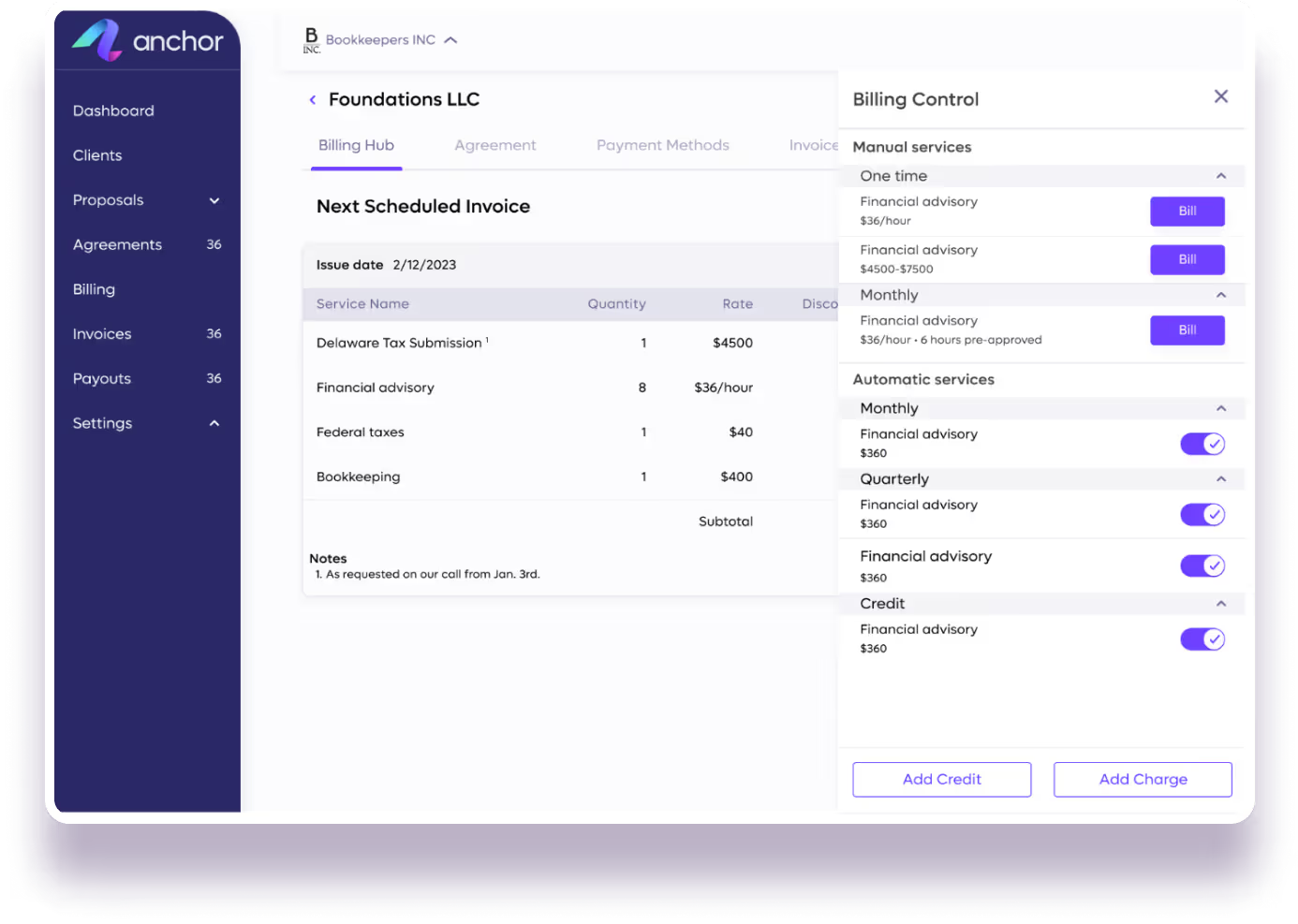
Whether it's recurring or one-time, automated or manual, fixed, by the hour or range-based, enjoy automated invoicing and have complete flexibility to modify, add or remove items from your invoices as needed.
“Anchor is easier for invoicing than QuickBooks itself!”
Client payments that are always paid on time, automatically!
On the billing due date, your clients will be auto-charged per their agreement.
Your client will be auto-charged via their pre-approved credit card or ACH
Pre-determine who pays the credit card processing fees (ACH is $0)
“Easy setup for me, payments flow to my bank account. I literally set it and forget it. It's one less thing to worry about in my busy practice”
Easily manage your team accesss
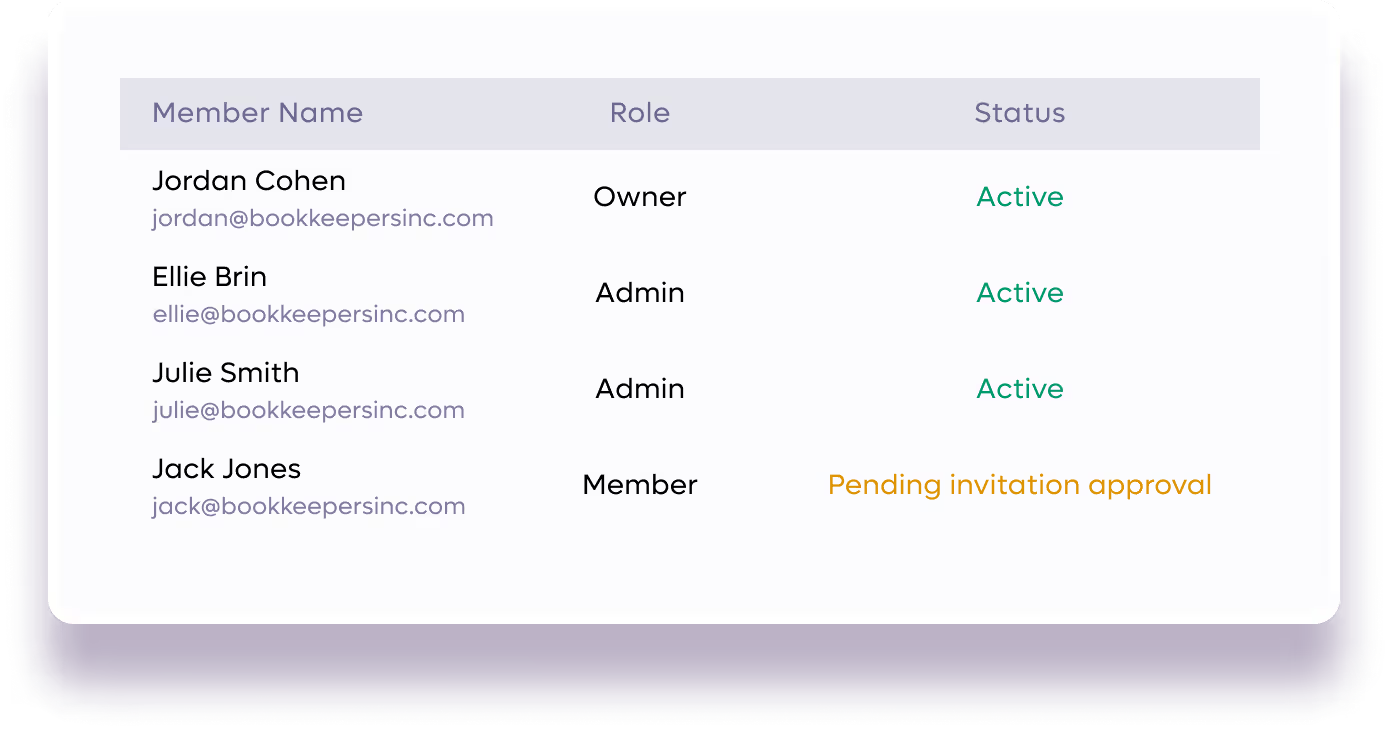
Set roles and assign permissions to your team members to improve coordination and communication within your team, fostering a productive work environment.
Manage your revenue from the Business Dashboard
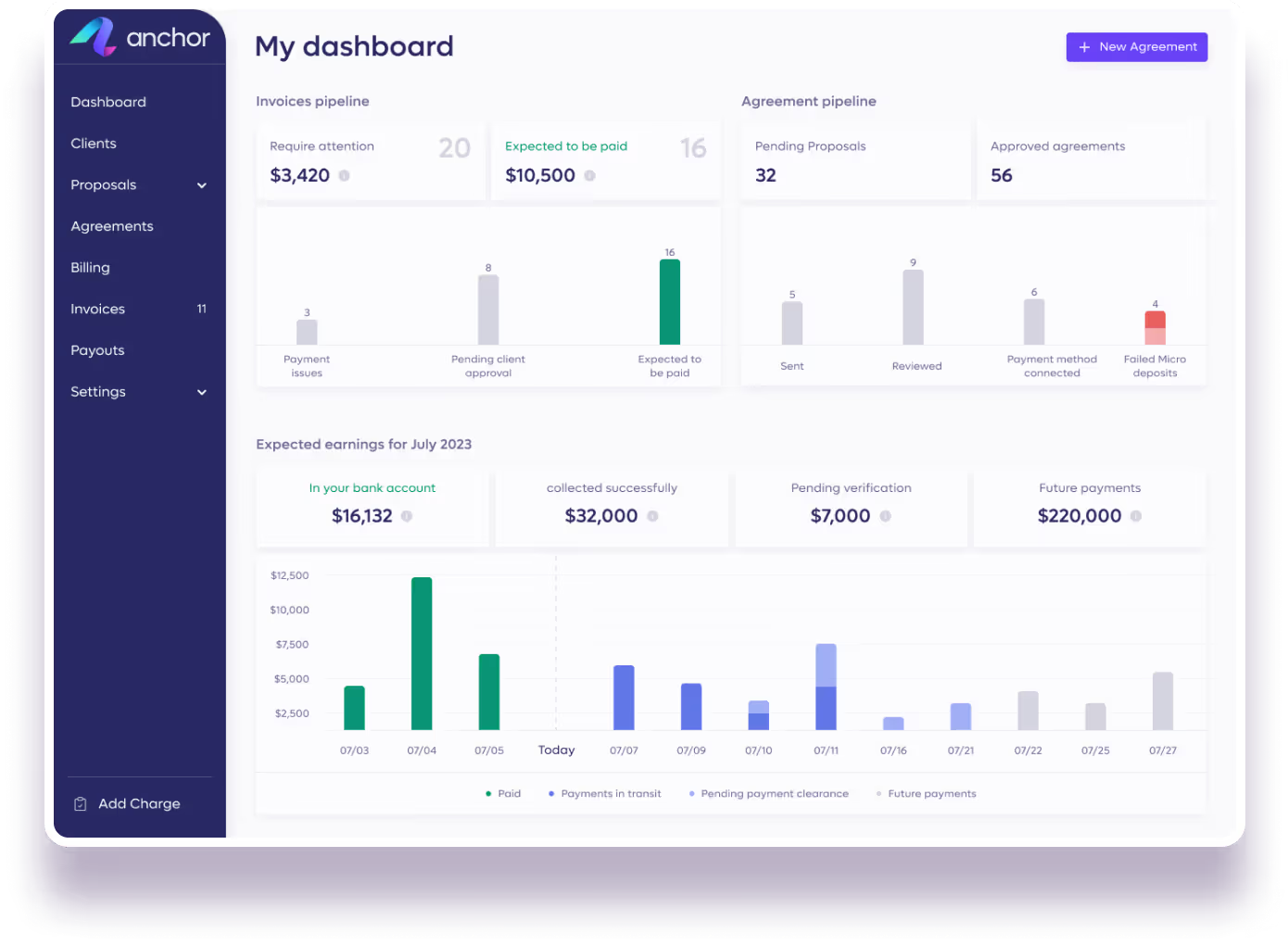
Monitor your firm's financial health and activity through your business dashboard. View revenue, proposal pipeline, invoices pipeline, and real-time activity data. Keep track of upcoming proposals, invoices, and more at a glance, and take action directly from the dashboard, when needed!
Maintain an audit trail with the Activity Log
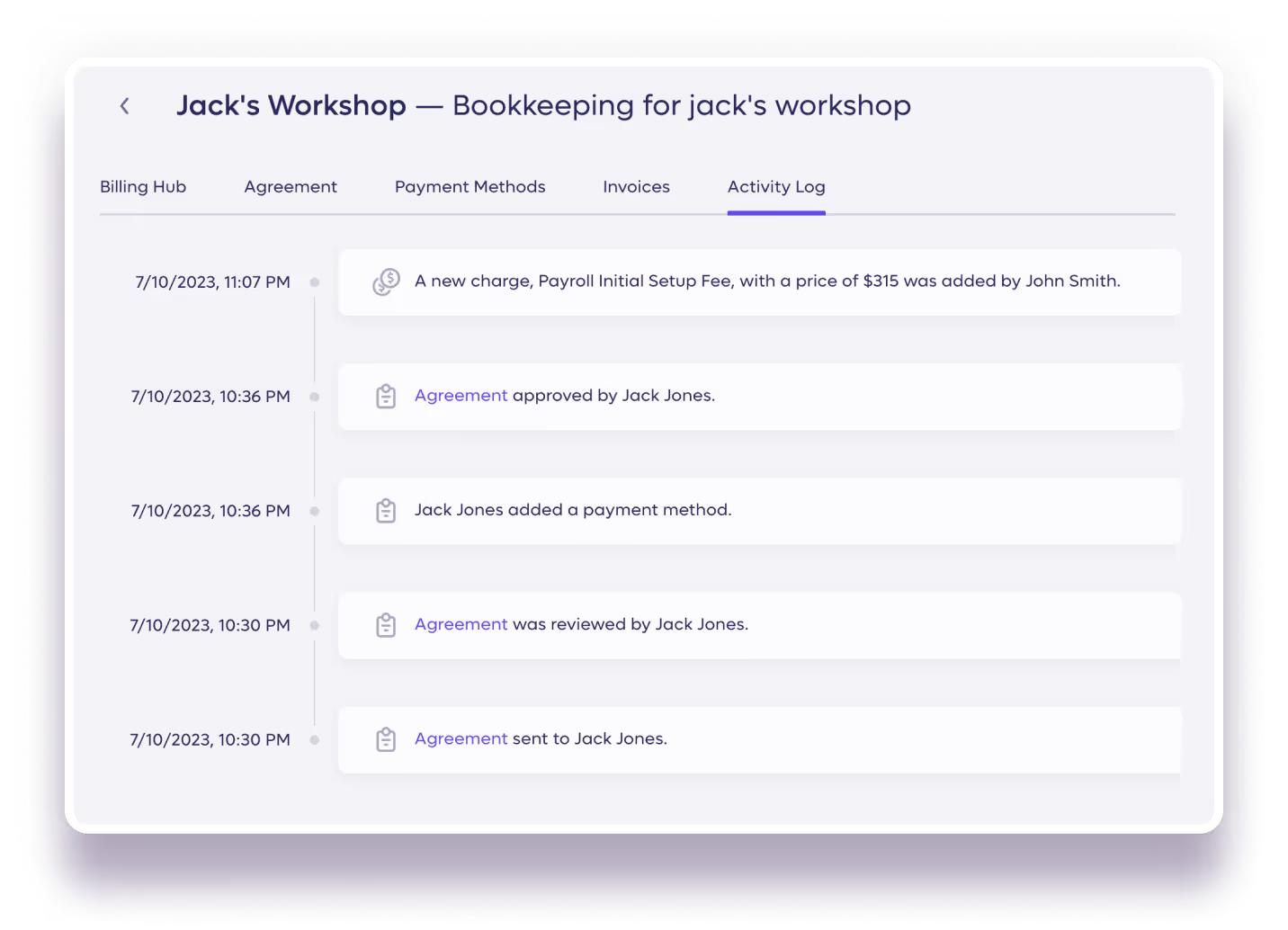
Promote transparecy and reduce friction! Enjoy your auto-logged activities that can be viewed by both you and your clients when relevant.
Stay fully synced with the QuickBooks Integration
Streamline your workflow, eliminate manual data entry and boost productivity with automatic real-time data sync.
Ensure client transparency with a dedicated Client Portal
Foster transparency and encourage self- service actions by providing your clients with their own portal to review agreements, view invoices, and update payment methods from a centralized area, accessible to them by a dedicated link.
Guarantee quick turnarounds with automated reminders.
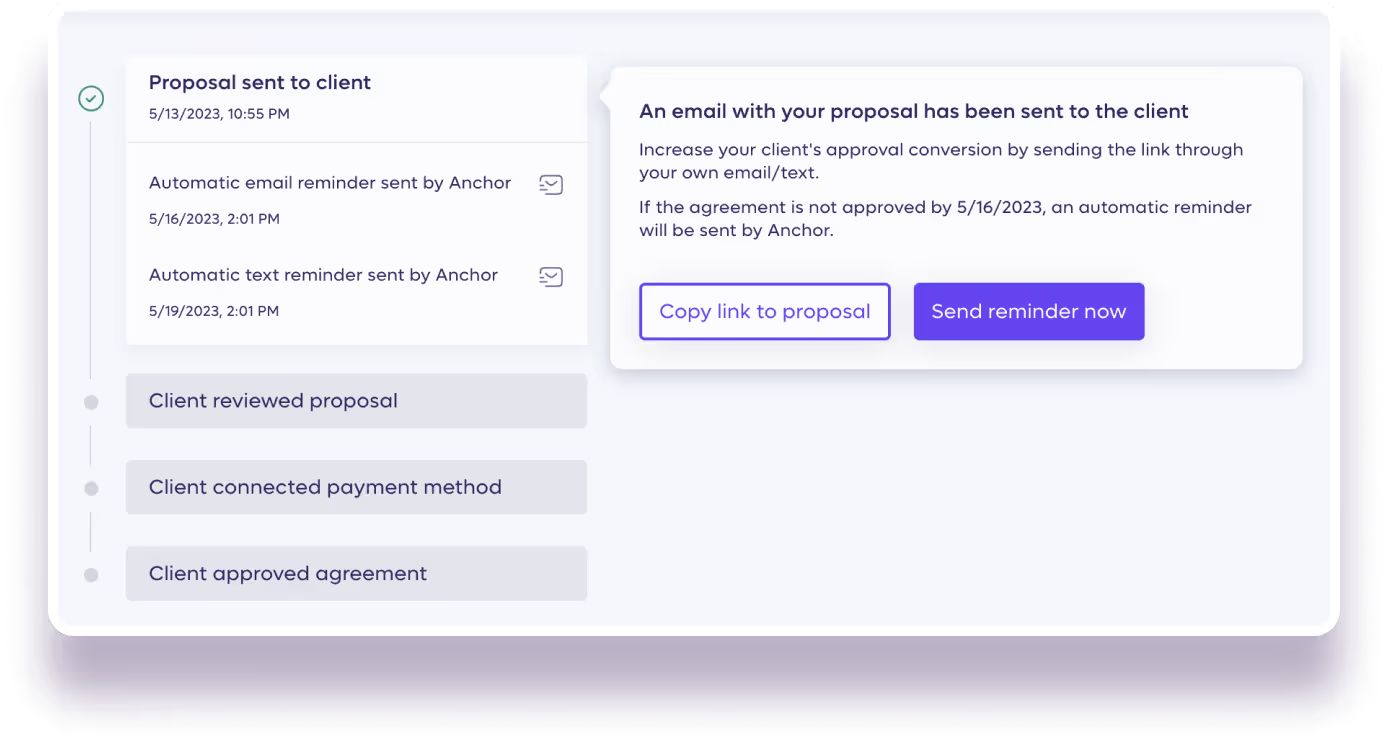
Ensure smooth financial transactions with automated text messages and email reminders to you or your clients on pending proposals, invoices, or payments. We’ll notify you if further escalation is required.
Endless integration possibilities with Zapier
Zapier lets you connect Anchor with thousands of the most popular apps, so you can automate - your work and have more time for what matters most—no code required. Make changes to spreadsheets, send emails, update information in your CRM, and much more with a comprehensive set of triggers.
Better client collaboration with the accountant view
Get access to your clients’ portals to review their information and make changes on their behalf (per their approval).
Frequently Asked Questions
What features does Anchor include? Anchor is automated billing software built for accounting and bookkeeping firms. Features include interactive proposals, dynamic agreements, automated invoicing, automatic payment collection, accounts receivable automation, team management, a business dashboard, an activity log, a client portal, QuickBooks integration, Zapier integration, and an accountant view. Every step from proposal to payment runs on one connected platform without manual effort.
How do proposals work in Anchor? You create a proposal by selecting services from your service library, setting your terms, and sending it to your client to review and sign digitally from any device. The process is fast — proposals can be created and sent in minutes, and clients can sign without needing to print, scan, or download anything.
What is a live agreement in Anchor? A live agreement is a dynamic digital contract built for ongoing billing, holding payment details, terms, and billing permissions in one place. Unlike static PDFs, it functions as accounting proposal software that stays active and editable as your engagement evolves. Adjust scope, pricing, or terms at any time, with a shared change log that keeps both parties aligned.
What types of invoicing does Anchor support? Anchor's automated billing software supports recurring and one-time invoicing with fully automated or manual triggering. Billing amounts can be fixed, hourly, or range-based. You can modify, add, or remove line items at any time, giving accounting and bookkeeping firms complete flexibility across all engagement types.
How does accounts receivable automation work in Anchor? On the billing due date, clients are automatically charged based on their signed agreement. Clients connect a payment method at signing, so collections happen without any manual follow-up from your firm or your client. Anchor's accounts receivable automation eliminates the need for chasing payments entirely. ACH processing is free; credit and debit card processing carries a 2.9% + $0.30 fee, and you decide upfront whether that fee is passed on to the client or absorbed by your firm.
Does Anchor send payment reminders? Yes. Anchor sends automated email and text message reminders to you or your clients for pending proposals, invoices, or payments. If further escalation is needed, Anchor will notify you so you can take action directly.
What is the business dashboard? The business dashboard gives accounting firm owners a real-time view of revenue, proposal pipeline, invoice pipeline, and accounts receivable status. You can monitor outstanding balances and take action directly from one centralized view. It is designed to bring full visibility and control to your billing management without switching between tools.
What is the activity log? The activity log automatically records all actions and events within Anchor. Both you and your clients can view relevant activity, creating a transparent audit trail that reduces disputes, improves accountability, and keeps everyone informed without extra communication.
What is the client portal? The client portal is a dedicated, secure area where each client can review their agreements, view invoices, update their payment method, and access their transaction history — all from a single link. It is designed to encourage self-service and reduce the back-and-forth between you and your clients.
What is the accountant view? The accountant view gives you access to your clients' portals so you can review their information and make changes on their behalf, with their approval. It is designed for accountants and bookkeepers who need to collaborate closely with clients or manage billing on their behalf without requiring separate logins or manual workarounds.
How does Anchor integrate with QuickBooks? Anchor syncs your invoicing and payments data with QuickBooks Online automatically and in real time. This eliminates manual data entry, keeps your books up to date, and ensures reconciliation is accurate without any additional steps from your team.
Does Anchor integrate with other tools beyond QuickBooks? Yes. Anchor connects with thousands of apps through its Zapier integration — no coding required. You can automate workflows across your existing tools, such as updating spreadsheets, sending emails, or syncing data with your CRM. Any app that Zapier supports can be connected to Anchor.
How does team management work in Anchor? You can add as many team members as your firm needs and assign roles and permissions to each one. Permissions control who can create, edit, or view proposals, invoices, agreements, and client information, helping you coordinate work across your team while keeping sensitive data appropriately restricted.
Is there a free plan or trial for Anchor? Anchor is free to get started — no credit card or subscription fee required. You only pay when money moves, with a flat $5 fee per transaction. There is no monthly charge, which means your cost scales directly with your revenue.






.avif)